

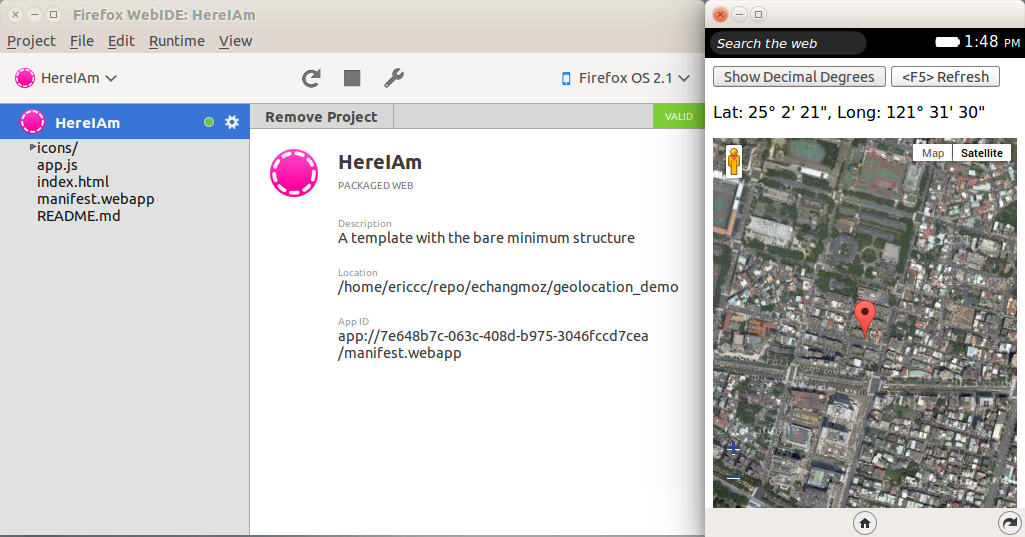
地理位置(Geolocation)的應用相信大家每天會使用到,早上查看上班前的交通狀況,傍晚打開手機 app 查詢附近的餐廳,上菜後照相打卡,看看週末旅行的城市天氣如何,或是用運動 app 記錄自己慢跑的速度,路線。在這篇短文,筆者將介紹如何在 Firefox OS 上,使用 Google maps 來查看目前的位置當作個簡單的開始,接下來由其他的高手朋友來作更多進階的應用。
本篇的大綱如下
- 使用 WedIDE 做一個簡單的 Firefox OS App
- 加入 Google maps 地圖層及目前位置支援
- 附錄
1. 使用 WedIDE 做一個簡單的 Firefox OS App
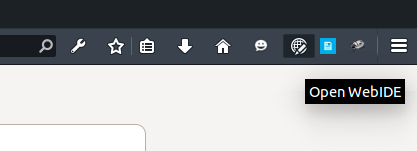
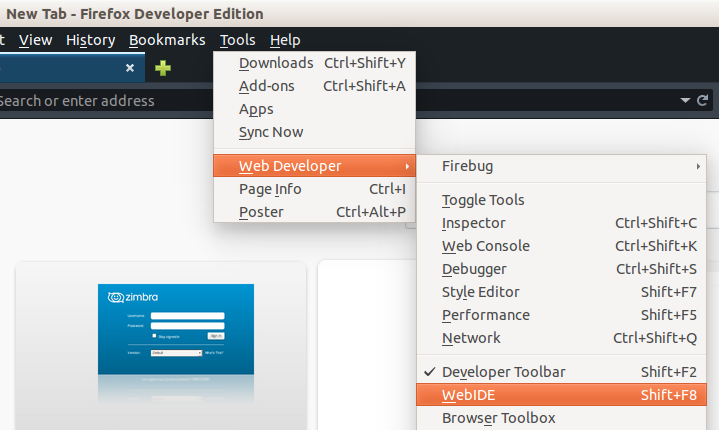
WebIDE 可透過 Firefox OS 模擬器或實體 Firefox OS 裝置,執行 Firefox OS App 並除錯,亦具備編輯環境,可建立並開發 Firefox OS App。這套強大的工具包含在 Firefox 瀏覽器 34 版以後的開發者版本或是 nightly 版本, 你可以用 Shift-F8,點選右上角的圖示或是從工具選單中開啓 WebIDE。附錄(1)
我們從新建一個 Privilege(Empty)app 或是從 Hello World 來更改都是好方法,端看個人喜好。
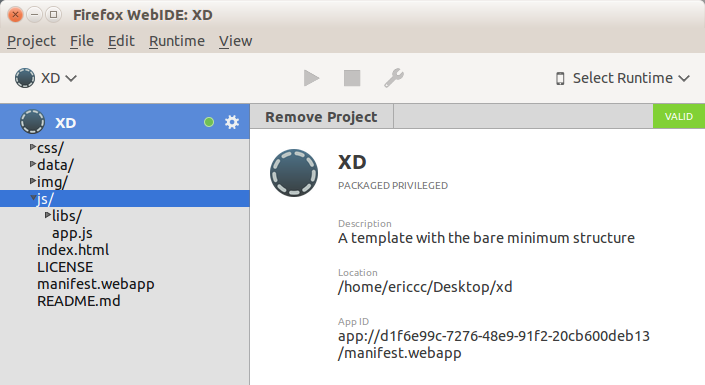
2. 加入 Google maps 地圖層及目前位置支援
接下來進入程式碼的部分,由於這個 demo 用 Google maps, 我們需要在 index.html <HEAD> 內指定要求 Google API 的支援。更多詳細 Google Maps API 的用法及資訊請參考附錄(2)
<script src="http://maps.googleapis.com/maps/api/js"></script>
1
<script src="http://maps.googleapis.com/maps/api/js"></script>
下一步在 app.js 的部分增加地圖層還有目前的位置和標記,使用前好習慣,先檢查 navigator 和 geolocation 不爲空。附錄(3)
if (navigator && navigator.geolocation) {
// Do something with geolocation
}
123
if (navigator && navigator.geolocation) { // Do something with geolocation}
取得目前的位置非常簡單,呼叫 getCurrentPosition() 這個函式, 第一個參數爲 Callback function ,而第二三個參數可不填寫。附錄(4)
navigator.geolocation.getCurrentPosition()
1
navigator.geolocation.getCurrentPosition()
在 Callback 中先將 Position 的經緯度轉成 Google 經緯度的參數。
navigator.geolocation.getCurrentPosition(function (position) {
here = new google.maps.LatLng(position.coords.latitude, position.coords.longitude);
// blah blah
}
1234
navigator.geolocation.getCurrentPosition(function (position) { here = new google.maps.LatLng(position.coords.latitude, position.coords.longitude); // blah blah }
接下來準備 Google Maps 的部分,你也可以更改 zoom 來顯示的地圖精細粗略範圍大小,或是顯示街道地圖或是等高線之類, 在這裏我使用衛星地圖。
var map_options = {
zoom: 16,
center: here,
mapTypeId: google.maps.MapTypeId.SATELLITE
}
12345
var map_options = { zoom: 16, center: here, mapTypeId: google.maps.MapTypeId.SATELLITE }
準備好所需要的參數之後,開始建立一個 Google Maps 圖層並顯示在 index.html 上。
map_container = document.getElementById("map");
map <a href="http://www.svenskkasinon.com/">online casino</a> = new google.maps.Map(map_container, map_options);
12
map_container = document.getElementById("map"); map <a href="http://www.svenskkasinon.com/">online casino</a> = new google.maps.Map(map_container, map_options);
加上自己的定位點,這裏還是使用預設的紅色圖釘。
marker = new google.maps.Marker({
position: here,
map: map,
});
1234
marker = new google.maps.Marker({ position: here, map: map, });
最後將經緯度顯示在地圖上供參考。
coordinates = "Lat: " DecimalToDegree(position.coords.latitude) ", Long: " DecimalToDegree(position.coords.longitude);
document.getElementById("coordinatesString").innerHTML = coordinates;
}
123
coordinates = "Lat: " DecimalToDegree(position.coords.latitude) ", Long: " DecimalToDegree(position.coords.longitude); document.getElementById("coordinatesString").innerHTML = coordinates;}
程式碼如下, 你也可以在 github 查到完整的部分。附錄(5)
function init() {
if (navigator && navigator.geolocation) {
navigator.geolocation.getCurrentPosition(function (position) {
here = new google.maps.LatLng(position.coords.latitude, position.coords.longitude);
var map_options = {
zoom: 16,
center: here,
mapTypeId: google.maps.MapTypeId.SATELLITE
}
map_container = document.getElementById("map");
map = new google.maps.Map(map_container, map_options);
marker = new google.maps.Marker({
position: here,
map: map,
});
coordinates = "Lat: " DecimalToDegree(position.coords.latitude) ", Long: " DecimalToDegree(position.coords.longitude);
document.getElementById("coordinatesString").innerHTML = coordinates;
}
);
} else {
console.log("Geolocation is not supported");
}
}
1234567891011121314151617181920212223
function init() { if (navigator && navigator.geolocation) { navigator.geolocation.getCurrentPosition(function (position) { here = new google.maps.LatLng(position.coords.latitude, position.coords.longitude); var map_options = { zoom: 16, center: here, mapTypeId: google.maps.MapTypeId.SATELLITE } map_container = document.getElementById("map"); map = new google.maps.Map(map_container, map_options); marker = new google.maps.Marker({ position: here, map: map, }); coordinates = "Lat: " DecimalToDegree(position.coords.latitude) ", Long: " DecimalToDegree(position.coords.longitude); document.getElementById("coordinatesString").innerHTML = coordinates; } ); } else { console.log("Geolocation is not supported"); }}
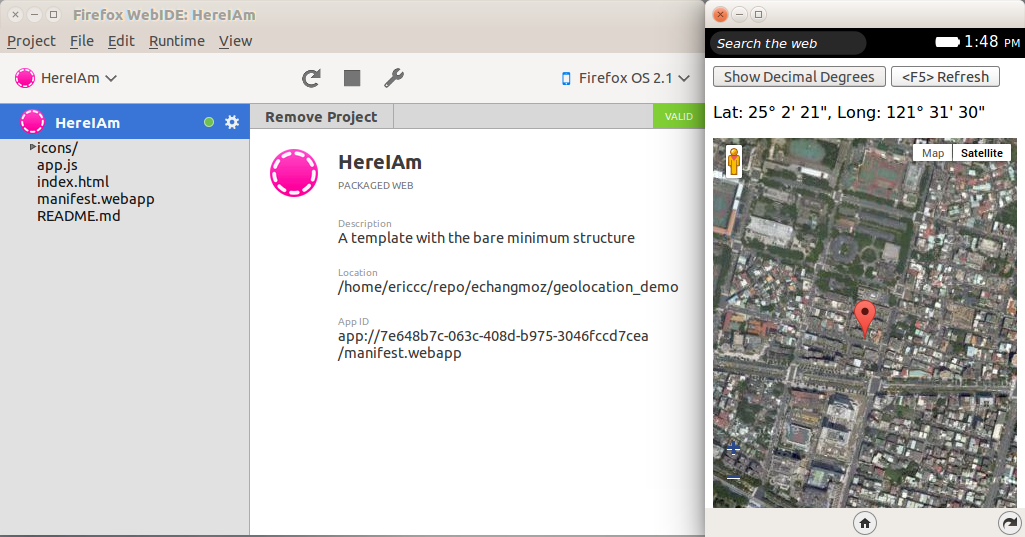
Voila!接下來選擇 Firefox OS Simulator,按下 Play 按鍵看看成果!是不是心裏又想到了可以修改或是增加有趣功能的想法呢?希望這簡單的小程式可以讓你快速瞭解如何實作一個定位 app。接下來將會有其他的朋友來分享更多 Geolocation 應用。Stay tuned!
附錄
- Google Maps Javascript API https://developers.google.com/maps/documentation/javascript/tutorial
- MDN 上 getCurrentPosition() https://developer.mozilla.org/en-US/docs/Web/API/Geolocation.getCurrentPosition
- Github 上的 Demo app https://github.com/echangmoz/geolocation_demo
- Geographic Coordinates http://en.wikipedia.org/wiki/Geographic_coordinate_conversion
- GPS, GLONASS 衛星定位系統 http://en.wikipedia.org/wiki/Global_Positioning_System
- MDN 上 Geolocation 相關資訊 https://developer.mozilla.org/en-US/docs/Web/API/Geolocation/Using_geolocation
- DD 和 DMS 的換算 DD 是 Decimal Degree 的縮寫,以十進位呈現資料,例如 25.037849N, 121.548819N 。
- DMS 是 Degree Minute Second 以度分秒的方式,例如 25°02″16.3″N 121°32″55.8″E。
- 目前運轉中的定位衛星有 GPS,GLONASS,BeiDou 都可以當作 geolocation 的資料提供者。
- Among difficult points horscope Leo mentions extreme interest of control powers to all the activities and undertakings.